From P&ID to Operations.
01
Engineering
Installations delivered up to 2x faster.
02
Operations
Run more installations with the team you have.
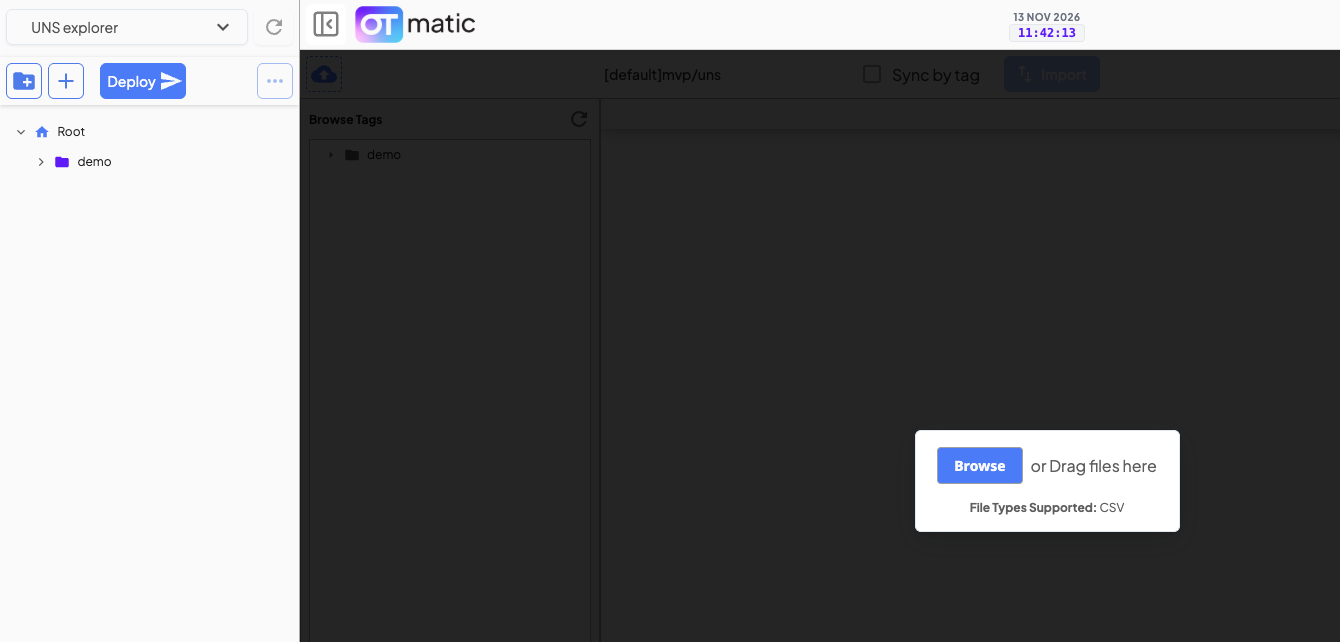
Import your engineering listsInstrument and IO lists come straight in, so nothing is typed twice.
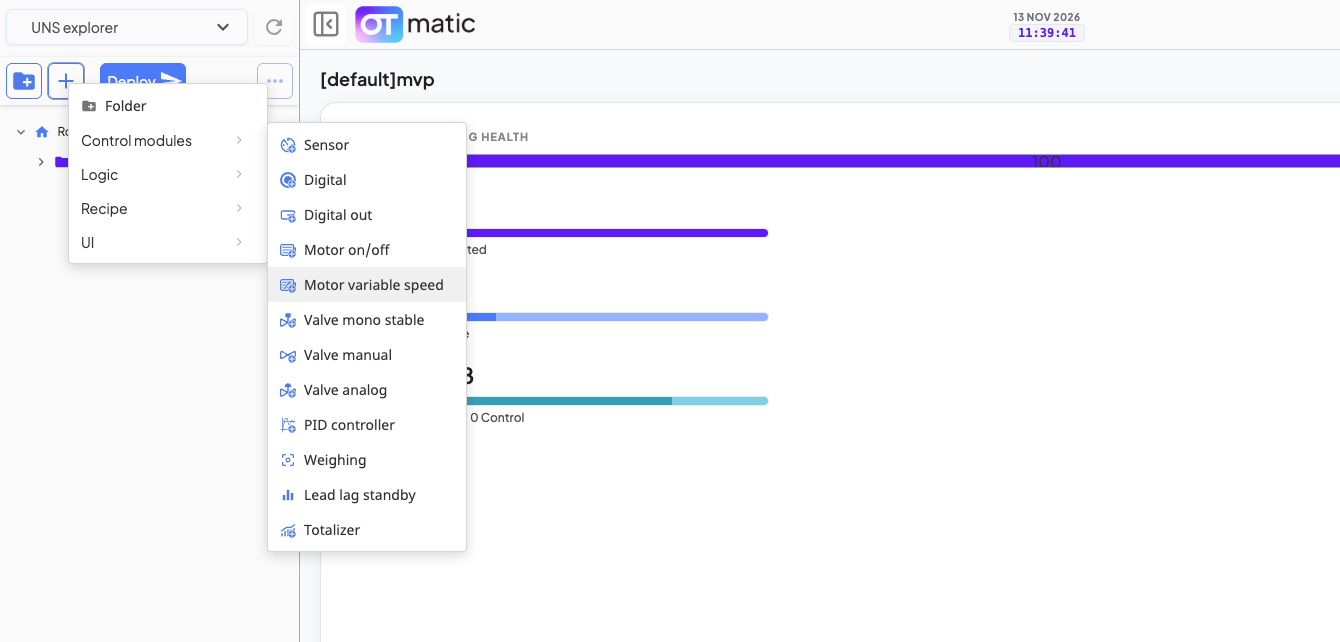
Add proven control modulesMotors, valves, PID loops and more, picked from the library.
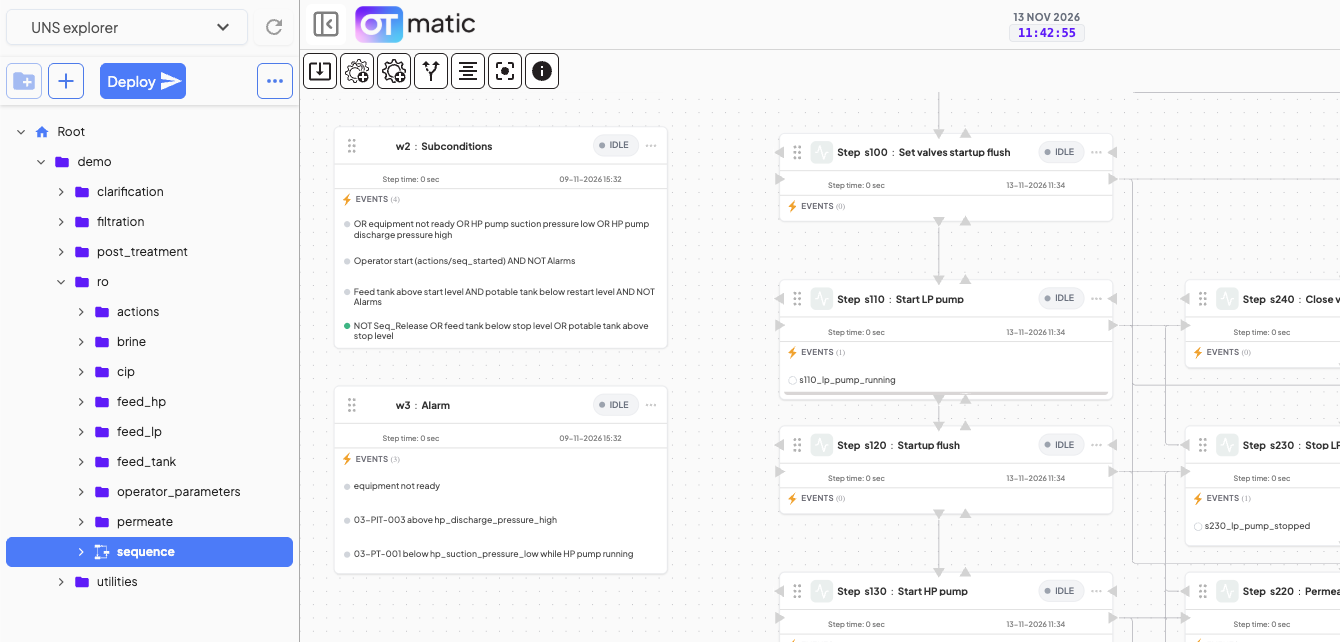
Build sequences as a flowchartProcess and automation engineers read the same visual logic.
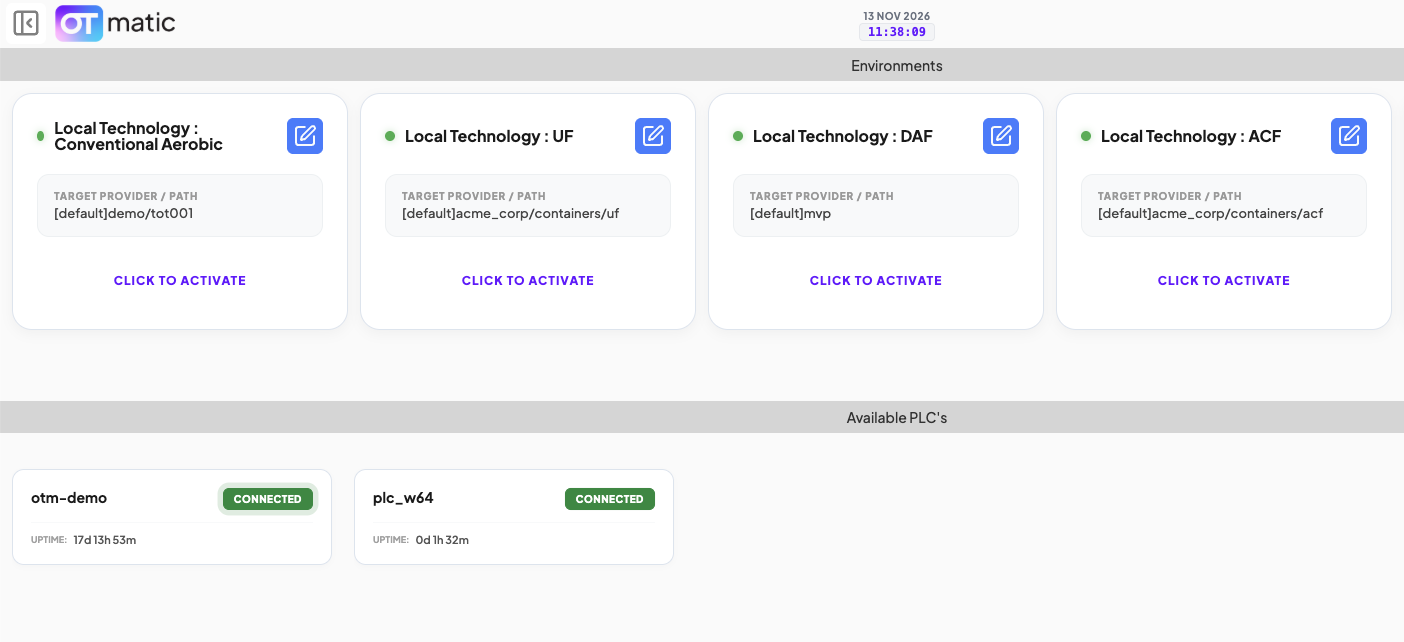
Reuse your technology libraryProven technologies like UF, DAF and ACF, ready for the next installation.
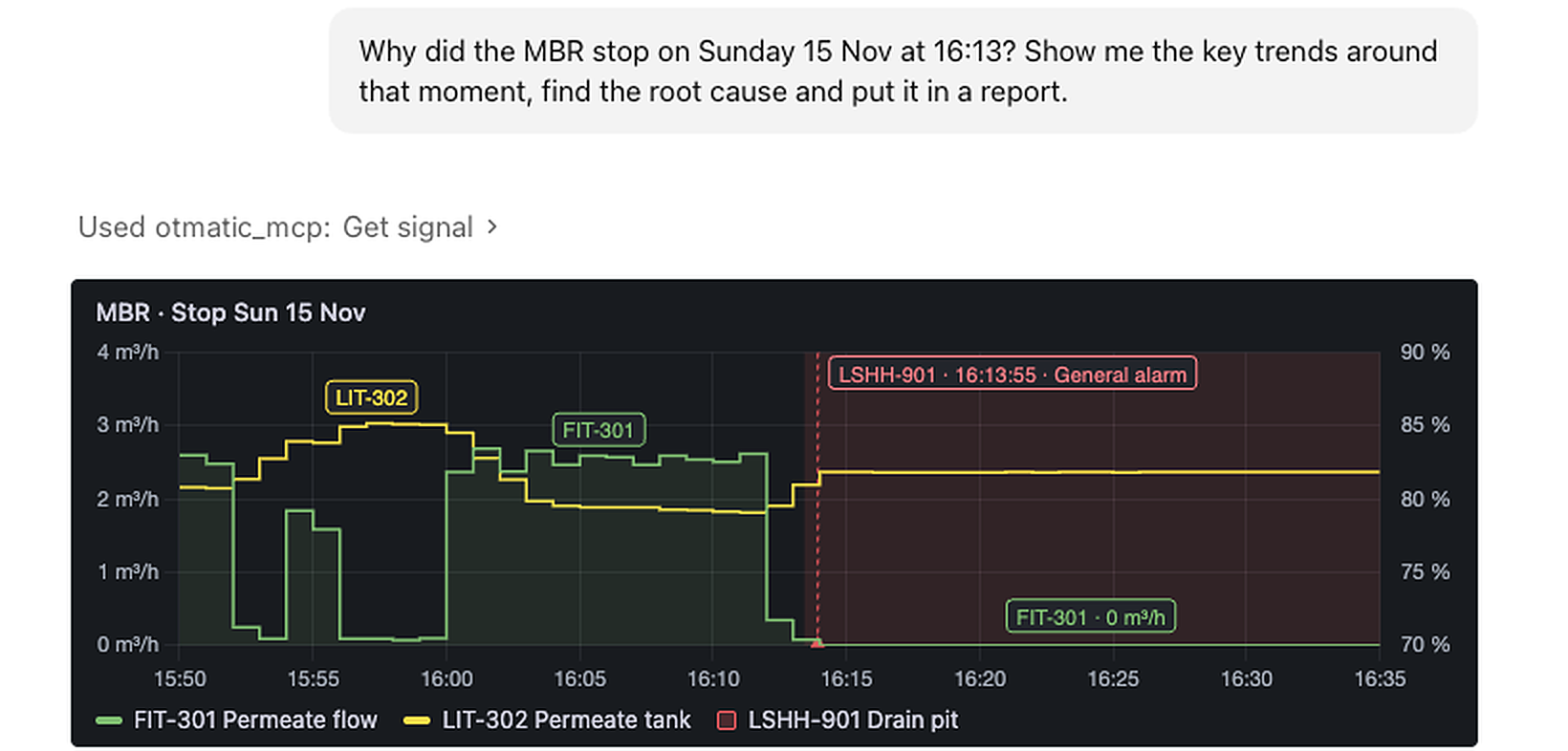
Ask your plant what happenedAsk in plain language and get the root cause, the trends and a report.
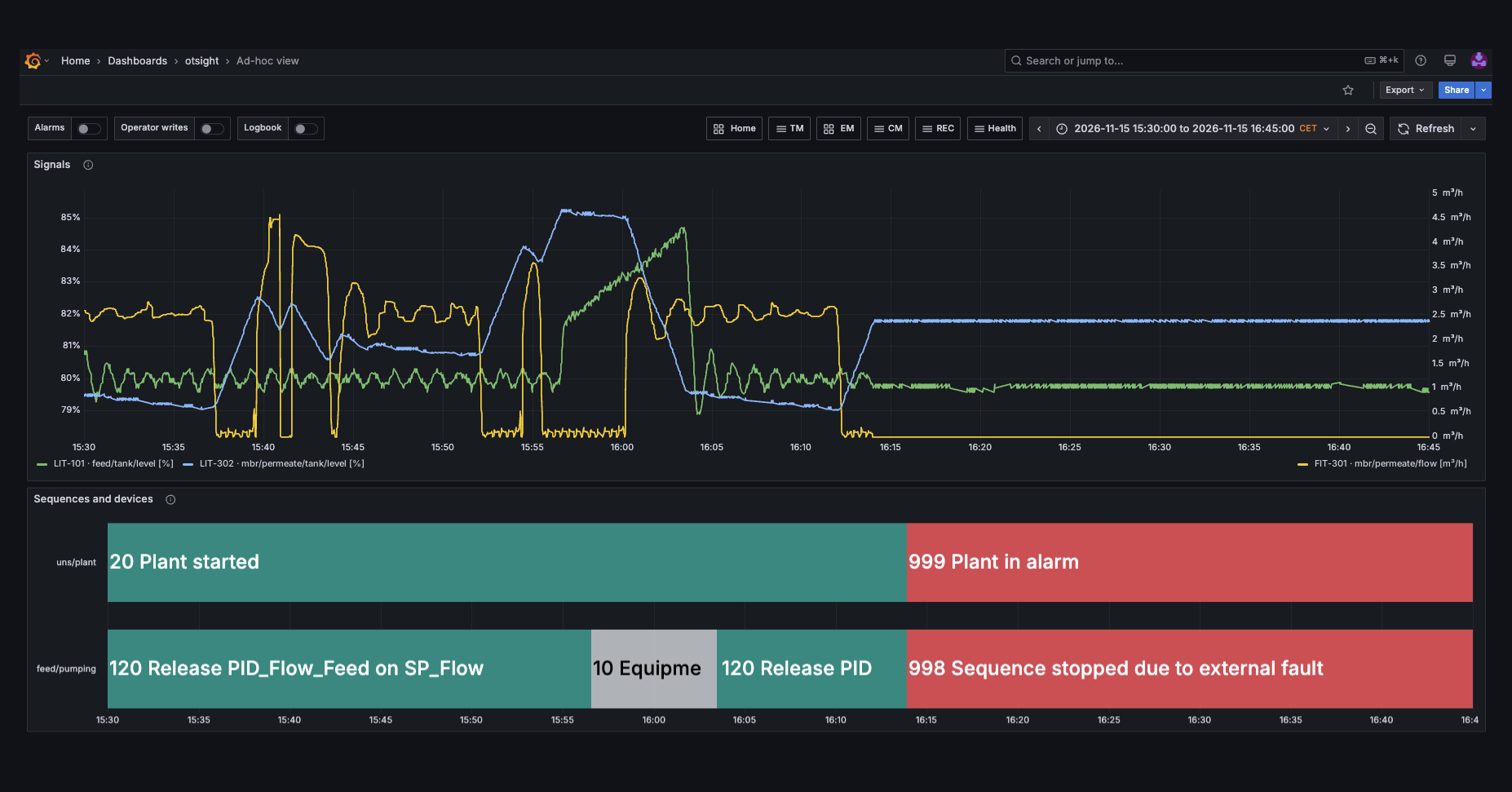
Live dashboards, standard and ad hocSignals and sequence states side by side, with a link to the live view.
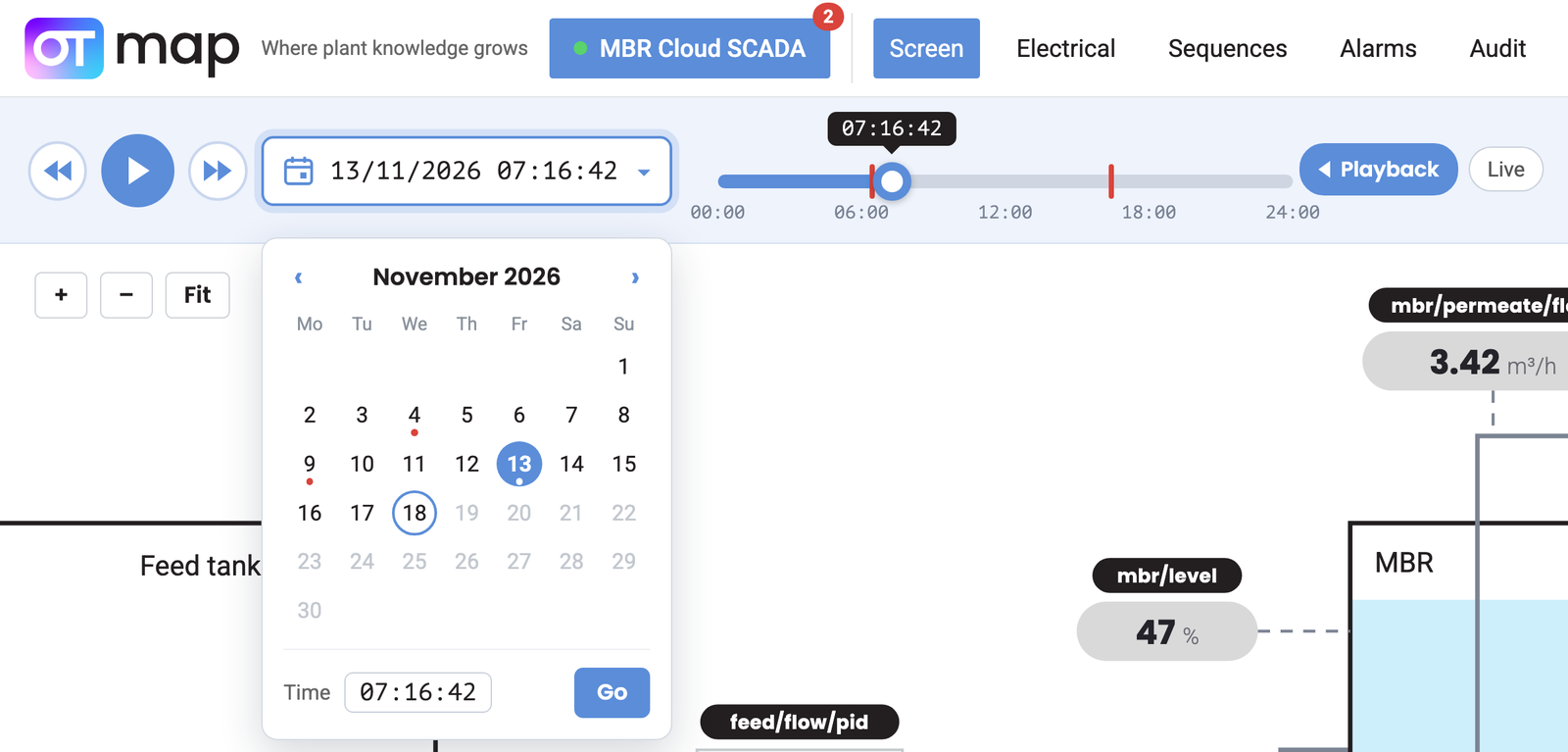
Rewind the SCADA to any momentPick a date and time and play back the complete installation.
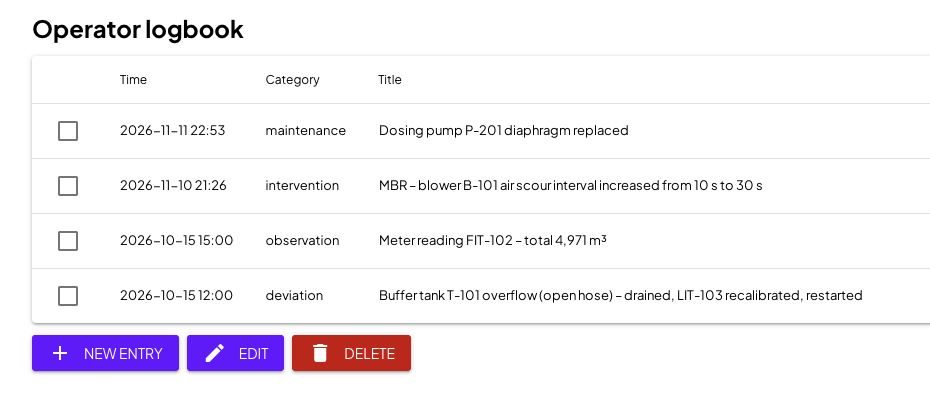
Operator findings in the logbookObservations and interventions land in the same database.






How it works
OTmatic builds it for you as a service, or your own engineers build it. Same agents, same libraries, same result.
01
The P&ID export and a process description. The engineering database stays in sync with AutoCAD.
02
OTmatic engineers or your own team assemble the installation from proven component and technology libraries. AI agents do the detailed work, test agents check every sequence.
03
Process and production people review a visual model: tanks, pumps, valves, sequences, interlocks. No code to read.
04
PLC, SCADA, documentation and the complete data structure, deterministically. No AI touches the final code.
Engineering
OTmatic engineers or your own team assemble the installation from proven libraries. AI agents do the detailed work, process experts review a visual model, and PLC and SCADA are generated deterministically. No AI touches the final code.
✓ Installations delivered up to 2x faster
✓ Engineering database stays in sync with AutoCAD
✓ Zero lines of manual code
Explore the solution →Complete process data
Because the data structure is generated with the PLC, the dataset is complete from day one. No separate data project, no mapping afterwards.
✓ ~20,000 live data points per unit, each with context
✓ One open database, owned by you
✓ Ask your own AI assistant through our read-only MCP server
Explore the data solution →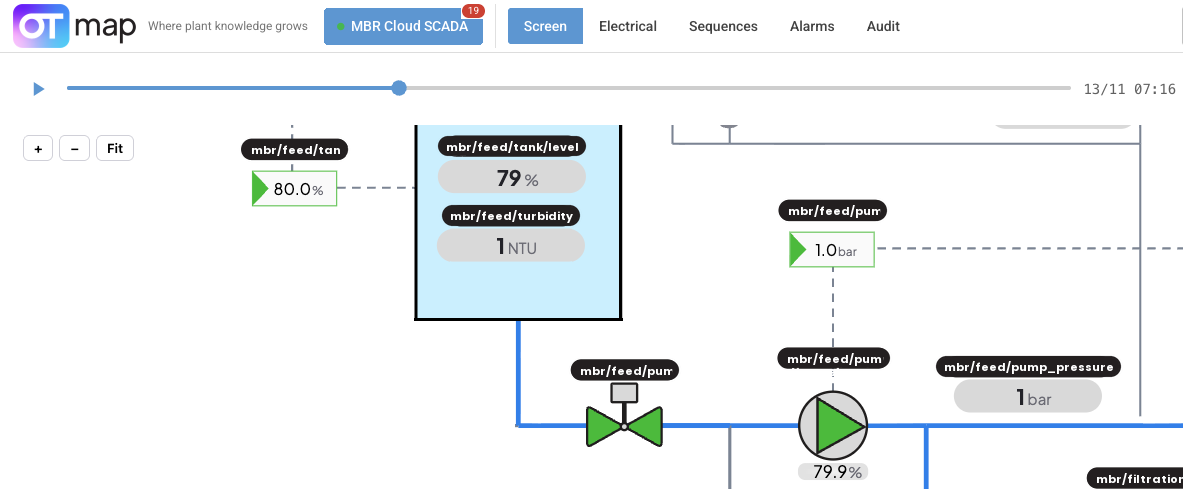
“OTmatic turned troubleshooting from detective work into a quick look at the data. Our operations team now spends less time searching and more time improving the process.”
Client
Water treatment company
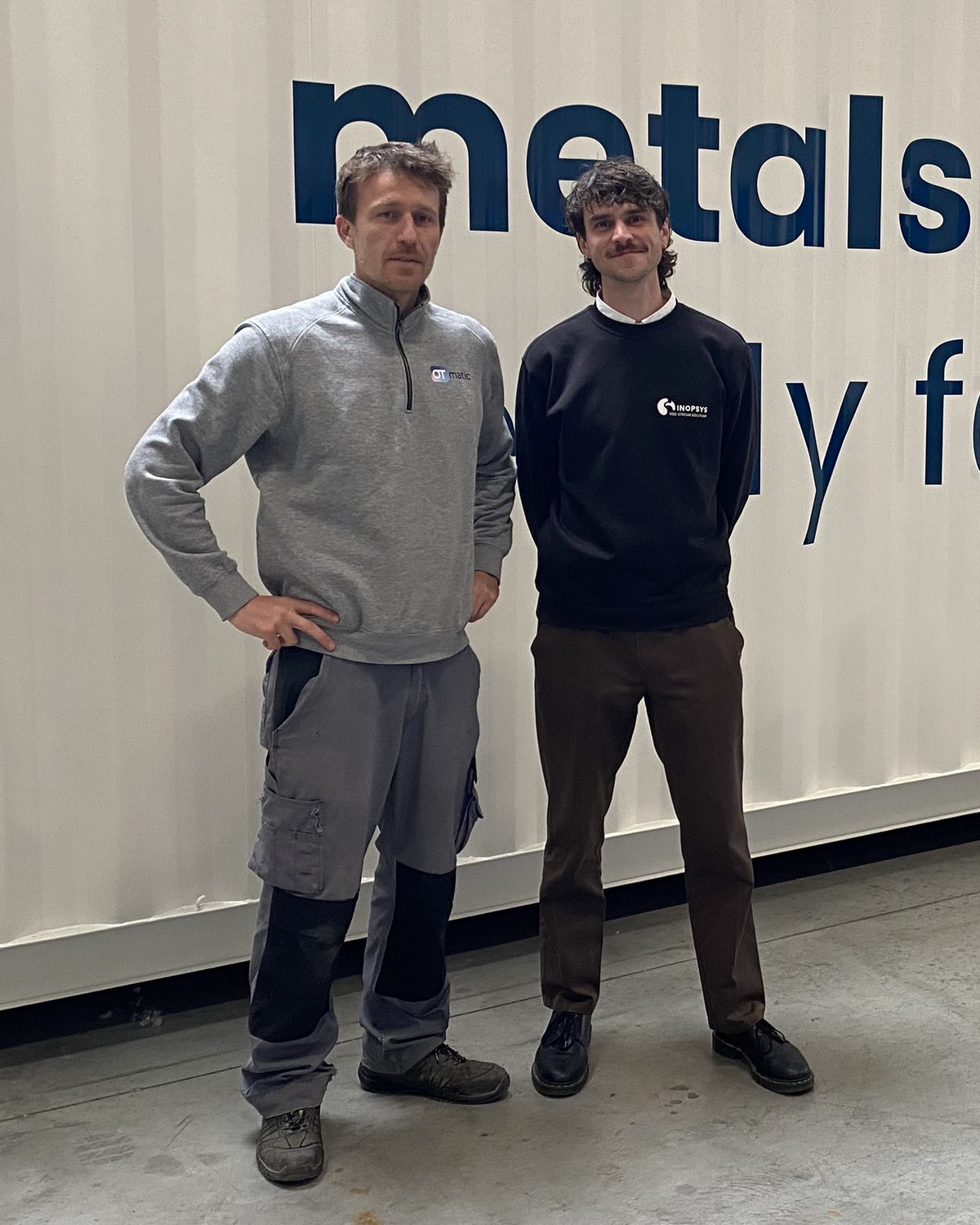
“They delivered a robust solution covering all our requirements within a very tight schedule.”
Robbe van der Zweep
Project Engineer · Inopsys
Your IP stays yours
Your library. Your data.
Your process know-how is your IP. Every module you build with us becomes part of your own library of proven process logic: you decide where it is reused, and your process data lives in your own open database. OTmatic provides the platform and the agents that build and maintain it.
Next step
from P&ID to live data.
Send us a P&ID or describe your installation. We'll show you what the model, the generated PLC and SCADA and the complete dataset look like for your process.